Page 1 of 1
r3dfox Never Saves Passwords
Posted: 31 Jan 2026, 10:25
by rothers
Windows 7 64 bit r3dfox 147.0.1 64 bit
r3dfox never offers to save passwords nor does it save them automatically.
All settings at defaults.
I do also have Firefox 115.32 esr installed on this systems as well where all works fine.
r3dfox Never Saves Passwords
Posted: 31 Jan 2026, 13:24
by Duke
rothers wrote: ↑31 Jan 2026, 10:25
r3dfox never offers to save passwords
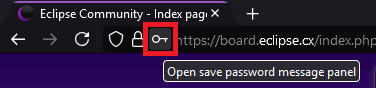
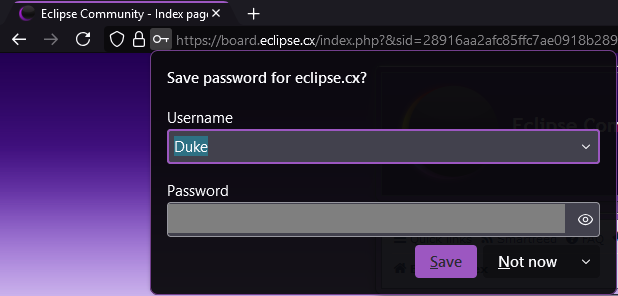
This is how it works for me with R3dfox and also with Firefox 115.32 ESR, there is an icon in the toolbar:
- R3dfox-PasswordPrompt.png (6.39 KiB) Viewed 10703 times
After clicking it:
- R3dfox-PasswordPrompt2.png (20.44 KiB) Viewed 10703 times
rothers wrote: ↑31 Jan 2026, 10:25
nor does it save them automatically.
It might be true but I don't know because I'm not saving passwords in my browsers, I'm using
KeePass.
r3dfox Never Saves Passwords
Posted: 31 Jan 2026, 14:14
by rothers
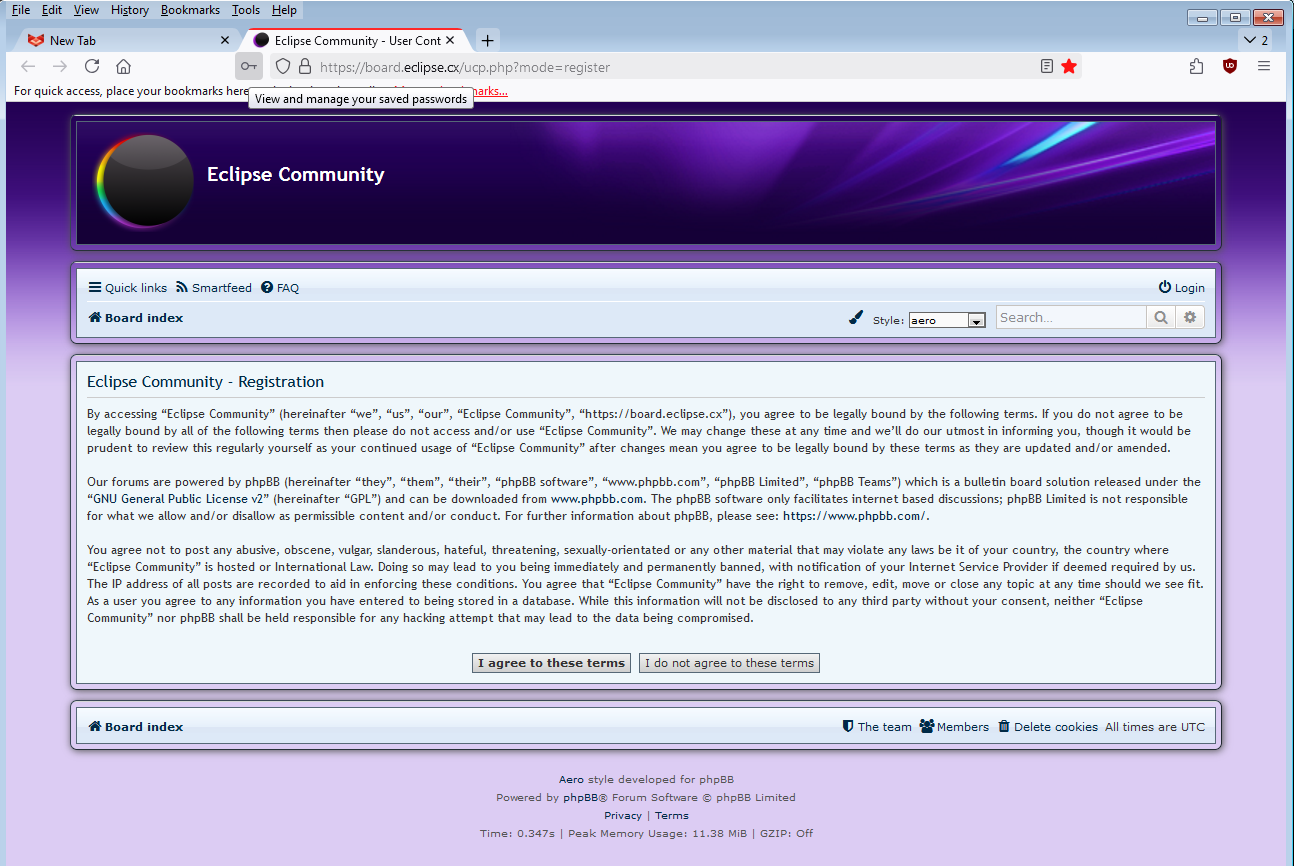
Yes, I have the same if I customise toolbar to include password.
However even with a password manually entered r3dfox never offers to use it. I have to manually enter the password each time.
mmm.... mine says "View and manage your saved passwords"
- r3dfox.PNG (193.35 KiB) Viewed 10678 times
r3dfox Never Saves Passwords
Posted: 31 Jan 2026, 15:17
by The-10-Pen
Technically, Firefox (and forks) was IN VIOLATION NON-COMPLIANCE of web standards for SEVERAL years!
Password fields commonly have an autocomplete="off" parameter (including right here at Eclipse!) within their HTML code.
Firefox has been FLATOUT IGNORING this parameter for YEARS.
Maybe they are finally no longer IGNORING this parameter?
Which can be argued that they probably shouldn't have been doing in the first place.
There are userscripts that REMOVE the autocomplete parameter (I personally employ this route), but the browser itself should COMPLY with standards.
r3dfox Never Saves Passwords
Posted: 01 Feb 2026, 04:12
by the_r3dacted
This leads me to believe you somehow disabled the Ask to save passwords option in the browser. This is ticked on in a default profile.
The-10-Pen wrote: ↑31 Jan 2026, 15:17
Technically, Firefox (and forks) was IN
VIOLATION NON-COMPLIANCE of web standards for SEVERAL years!
Password fields commonly have an
autocomplete="off" parameter (including right here at Eclipse!) within their HTML code.
Good, this is a stupid feature. I figure it's only like that here because it's a phpbb default, and me not having to go and remove it is time well saved.
r3dfox Never Saves Passwords
Posted: 01 Feb 2026, 08:23
by The-10-Pen
the_r3dacted wrote: ↑01 Feb 2026, 04:12
Good, this is a stupid feature.
AGREED!
Again, I actually REMOVE this "feature" via userscript.
But... Web standards exist for a reason, in my opinion.
The end user should not have to "stumble upon" what standards were cherry-picked "in" and what standards were cherry-picked "out".
To me, the end user is supposed to be 'smart'. ie, not "dumbed down" by any Nanny State.

Admittedly, when I *witness* any browser NOT complying with "standards", my gut-reaction is that the developer "didn't know how to implement".
Not that they were "cherry-picked out".
r3dfox Never Saves Passwords
Posted: 01 Feb 2026, 09:23
by The-10-Pen
It's "complex", I get it.
I just don't like the idea of Browser A deciding itself what to comply with, Browser B deciding itself what to comply with, etc.
I prefer a 'world' where the end users are 'made smart' if they weren't already 'smart'.
But yeah, "it's complicated".
r3dfox Never Saves Passwords
Posted: 01 Feb 2026, 10:34
by rothers
the_r3dacted wrote: ↑01 Feb 2026, 04:12
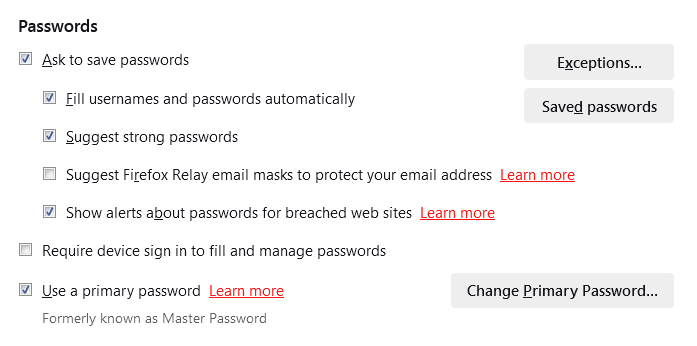
This leads me to believe you somehow disabled the Ask to save passwords option in the browser. This is ticked on in a default profile.
Well I'm getting somewhere.
- r3dfox2.PNG (14.14 KiB) Viewed 10388 times
I didn't have "Use a primary password" enabled (I do in Firefox). Now it saves password and pick them up on manual login but it still doesn't "Fill usernames and passwords automatically".
Does r3dfox pick passwords up from Firefox ? Reason I ask is I went onto a new website, never visited in r3dfox, and it picked up my Firefox username and password after clicking login.
r3dfox Never Saves Passwords
Posted: 01 Feb 2026, 10:53
by The-10-Pen
My just-downloaded no settings changed default-as-is r3dfox *DOES* remember and *DOES* fill in passwords.
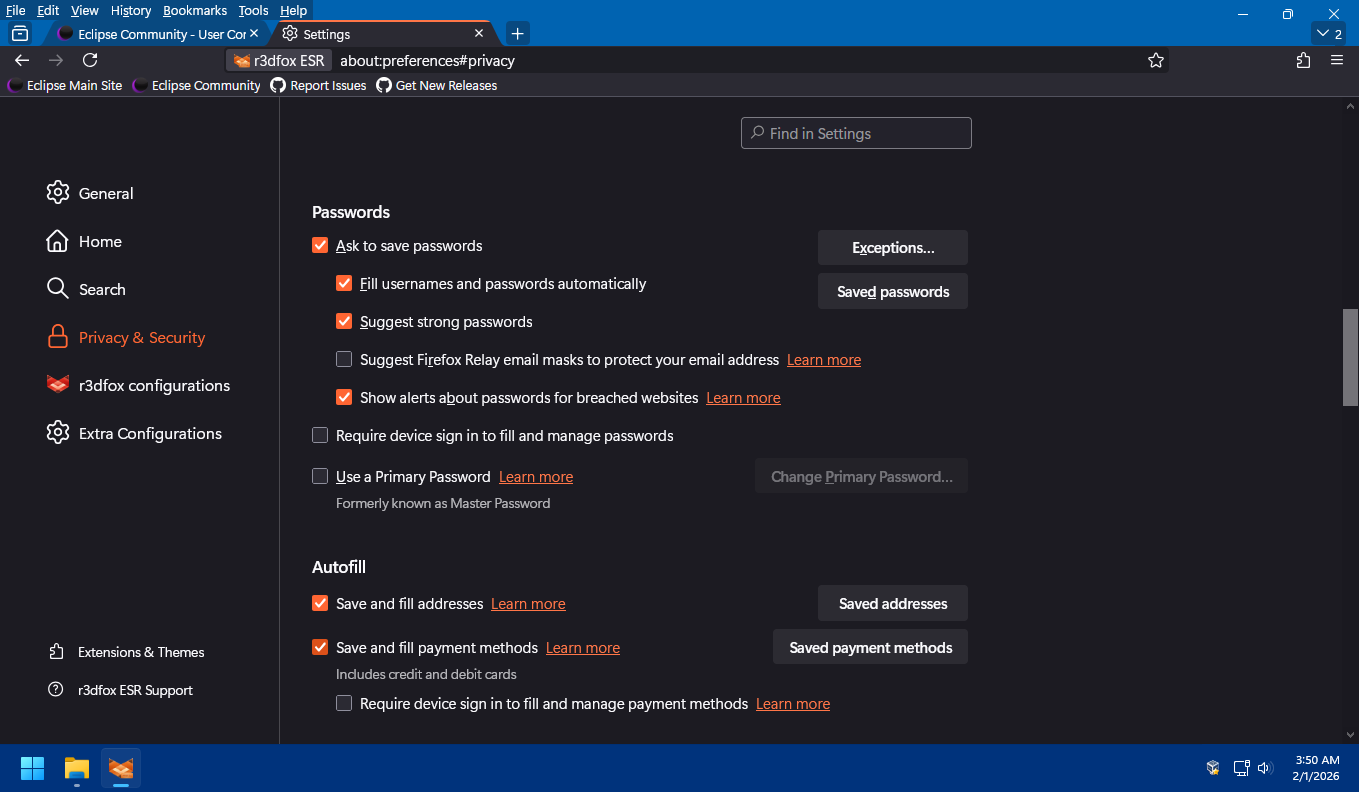
- 2026-02-01_5-51-01.png (122.85 KiB) Viewed 10382 times
r3dfox Never Saves Passwords
Posted: 01 Feb 2026, 10:56
by The-10-Pen
Have you tried in a fresh profile? To at least rule out your profile?
r3dfox Never Saves Passwords
Posted: 01 Feb 2026, 11:07
by The-10-Pen
Also, is your r3dfox and your Firefox SHARING the same profile?
ie, my r3dfox is definitely *NOT* pulling usernames/passwords from an independent Firefox profile.
Neither is "installed" on my system, neither is configured as "default browser", both are set up as "portable".
Unsure how your system is configured, only stating to confirm that my r3dfox is not pulling usernames/passwords from Firefox.
But I don't doubt that they can be (intentionally or accidentally) configured to "share".
I'd have to look into it, but I'm sure that it can be done and it appears that yours "has been done" (ie, configured to "share").
r3dfox Never Saves Passwords
Posted: 01 Feb 2026, 12:54
by rothers
I've done just that, removed r3dfox completely including the profile folder and reinstalled. All now working fine.
I think I opted to import from Firefox on the original install hence r3dfox had my password file etc. This time I didn't.
Problems could have been having a master password set in Firefox but not in r3dfox etc.